 Small business IT support now sits in the middle of revenue, operations, security, and staff productivity. That is not an overstatement. The U.S. Small Business Administration reports that small businesses make up 99.9% of U.S. businesses and account for 45.9% of employment, which means small business IT support is no niche service, it is part of how the economy runs.
In plain English, small business IT support is the ongoing work of keeping systems usable, secure, connected, and recoverable. That includes helpdesk, cybersecurity, backups, cloud administration, vendor coordination, and planning, not just fixing a laptop after it breaks.
What follows covers the standard that works: what support should include, which service model fits which environment, how response times and security should be measured, where costs usually get muddy, and what a strong partnership looks like in the first 90 days.
- What full-scope IT support includes
- The difference between DIY, break-fix, and managed services
- Response, reporting, and accountability standards
- Security, backup, and continuity expectations
- Pricing, contracts, and hidden costs
- How to evaluate providers and spot weak support early
Why small business IT support matters more than ever
According to the Federal Reserve’s 2026 employer-firm survey, 73% of firms faced higher goods, services, or wage costs, and 57% said reaching customers or growing sales was a major challenge. What this means in practice is simple: lost time from bad technology is no longer a nuisance expense. It directly works against growth while costs are already high.
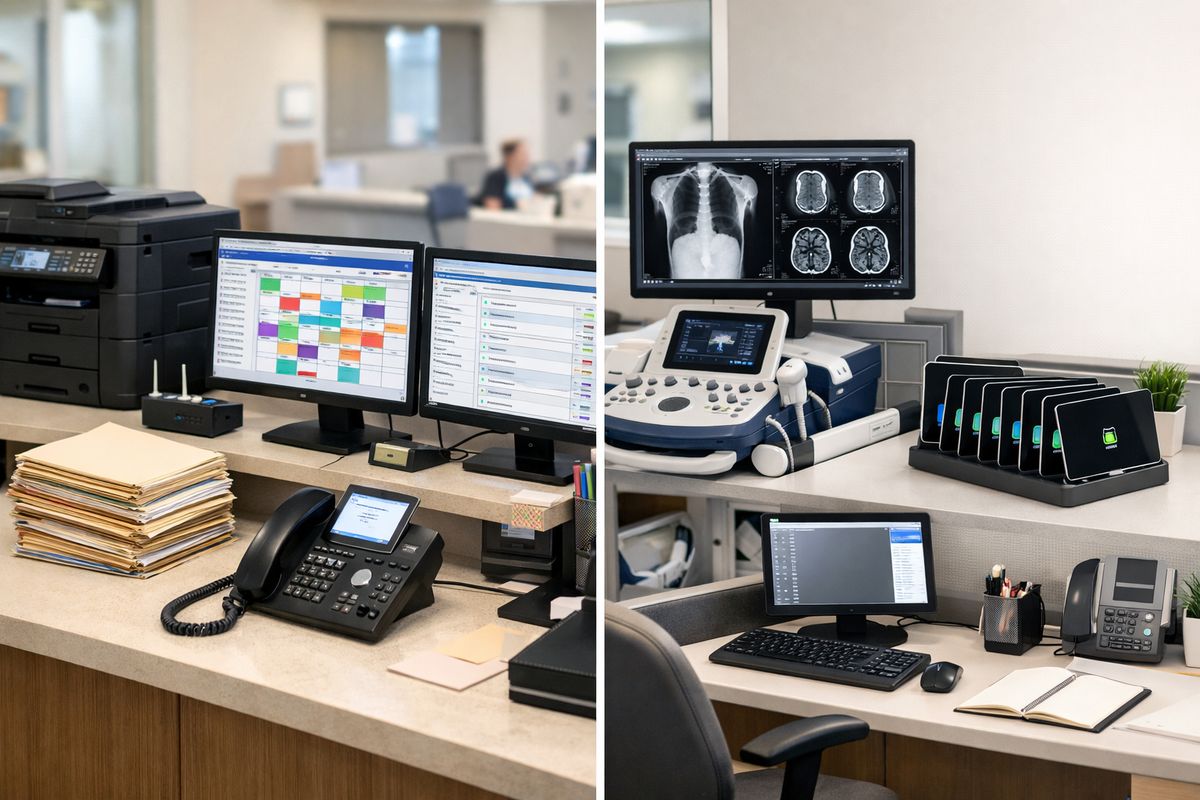
For Lafayette-area healthcare groups, that shows up as delayed chart access, email issues, and compliance pressure. For imaging centers, it shows up as workflow interruptions between modalities, PACS, reporting, and scheduling. For senior care organizations, the issue is continuity across staff shifts, devices, phones, and internet uptime. For oil and gas operations, it is often a mix of field connectivity, rugged devices, vendor systems, and urgent communication demands. Different industries, same truth: support has to protect daily operations.
The practical step for this week is to document the top three technology issues disrupting daily work. No broad audit yet. Just the three most repeated disruptions.
What small business IT support should include
Precedence Research reports that support and maintenance held the largest share of the business software and services market, which tells the real story. Even with cloud growth and newer tools everywhere, support remains a core business need because systems still need care, updates, oversight, and fast correction when something fails.
Basic troubleshooting is not enough. Complete coverage means support that protects uptime, reduces security risk, and gives leadership clear guidance on systems, vendors, and future spending. If support only reacts to tickets, the business is carrying the planning burden alone.
The practical step is to compare current support against a written list of core services. If the list does not exist, that gap is the first finding.
Helpdesk and day-to-day user support
The same market research highlights prompt assistance as a growth driver in business services. That lines up with what actually matters on a workday: password resets, printer failures, Microsoft 365 issues, email delays, login lockouts, and software errors need fast handling with clear updates.
Strong helpdesk support does three things well. It logs issues consistently, communicates status in plain language, and escalates without making staff repeat the same story three times. Good support removes friction fast. Bad support turns one problem into six follow-ups.
The action is to review the last 10 support requests and check for response speed, status updates, and documented resolution.
Network, device, and system management
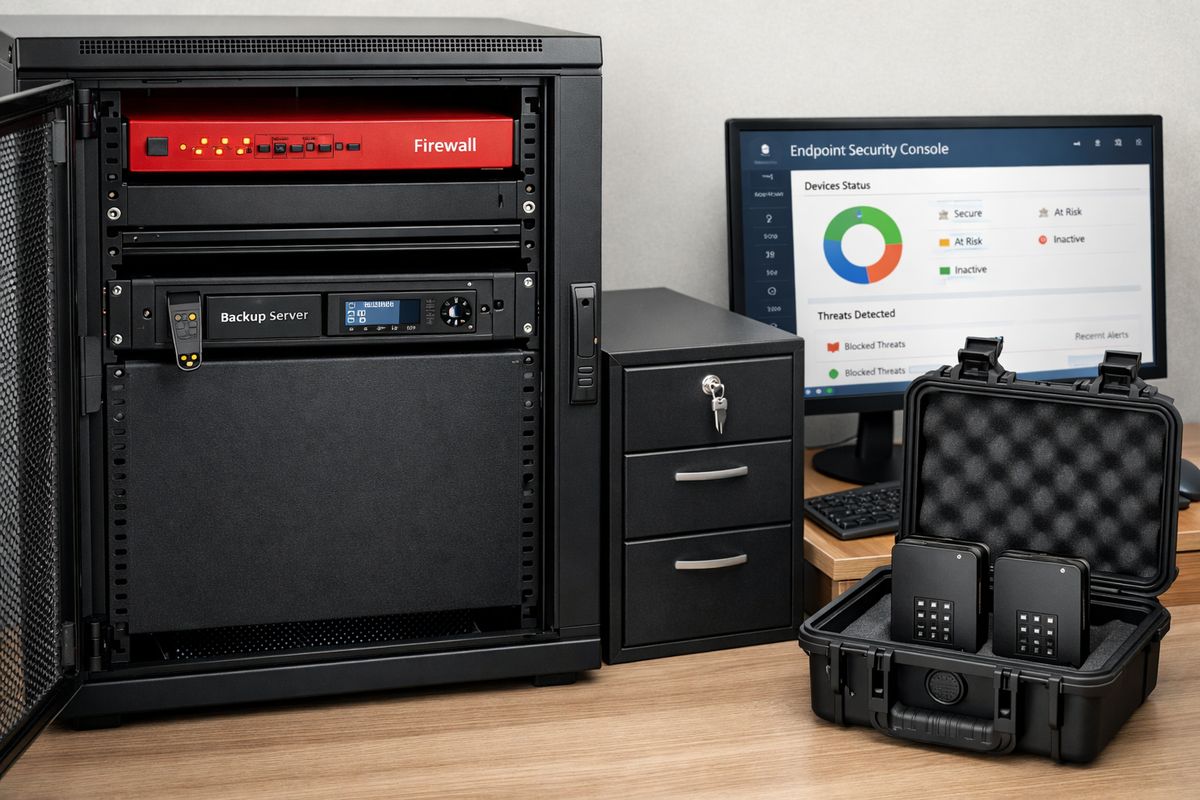
A modern support provider manages workstations, servers, Wi-Fi, firewalls, patching, endpoint protection, and performance monitoring on an ongoing basis. Stable environments do not come from luck. They come from routine attention to alerts, aging hardware, failed backups, capacity issues, and unpatched systems before those problems become outages.
This matters more now because most small organizations rely on a growing mix of local devices and cloud apps. 94% of small businesses use at least one cloud-based service, so device and network health still matters because cloud performance depends on identity, connectivity, browsers, local endpoints, and secure access.
The action is to confirm there is a documented patching and monitoring standard for servers, firewalls, and workstations.
Cybersecurity, backup, and recovery
Capsule CRM reports that 43% of cyberattacks target small businesses. That is the end of the old argument that security is a premium extra reserved for larger organizations. Small business IT support now has to include managed antivirus or EDR, MFA, email filtering, phishing protection, backups, recovery planning, and baseline compliance support where regulated data is involved.
Prevention alone is not enough. Security without tested recovery still leaves the business exposed. The move that works is prevention plus recovery, with both managed as standard operations.
The action is to verify that MFA, endpoint protection, and backup monitoring are all active and centrally managed.
Strategic guidance and vendor coordination
According to the Federal Reserve’s 2026 report, many small firms are operating under cost pressure while trying to expand efficiently. Here is how to use that: IT support should not stop at fixing issues. It should help with budgeting, hardware lifecycle planning, software selection, and dealing with internet, phone, cloud, EHR, imaging, and application vendors.
This is where good IT support starts looking like business support. The best provider translates technical decisions into cost, risk, and workflow outcomes that leadership can act on.
The action is to list every current technology vendor and identify who owns the relationship, renewal dates, and escalation path.
The three main IT support models and what to expect from each
Precedence Research says the managed services segment is set for major growth because businesses want expertise without building large internal teams. That growth reflects a practical shift: small organizations want predictable outcomes, controlled costs, and accountability.
There are three main models. DIY works when complexity is low and downtime matters less. Break-fix feels cheaper until the first real disruption. Managed services fit organizations that need consistency, documentation, and prevention built into the service.
The action is to identify which model is currently in place and whether it matches operational risk.
DIY or ad-hoc support
In many small organizations, an office manager, operations lead, or tech-savvy employee handles issues as they appear. This works for very simple environments with few users, limited compliance demands, and low-cost downtime.
The hidden cost is time. Internal staff lose focus, fixes stay undocumented, vendors go unmanaged, and recurring issues never get root-cause attention. Ad-hoc support works only when technology is simple and outages do not interrupt revenue, care, or field communication.
Break-fix IT support
Break-fix means paying for help only when something goes wrong. On paper, it looks lean. In practice, it creates slow response, no prevention, and surprise invoices at the exact moment the business is already under pressure.
The Federal Reserve found that many firms face cost strain, and businesses working with online lenders often reported higher-than-expected costs. The same lesson applies here. Cheap-looking arrangements often become expensive once the real bill arrives.
Managed IT services
Managed IT services combine proactive monitoring, maintenance, helpdesk, security, backups, and strategic oversight under a predictable agreement. This model fits growing organizations that need reliability, budgeting discipline, and documented accountability.
For healthcare practices, imaging groups, senior care operators, and oil and gas teams, managed service is usually the cleanest fit because it supports uptime and risk reduction at the same time. This is the simplest version of dependable IT support for most growing small businesses.
Response time, communication, and accountability standards
Fast technical work means less if communication is poor. Research on business software markets highlights prompt assistance as a driver of demand, and the reason is obvious: delays compound when staff cannot work, patients cannot be scheduled, reports cannot be sent, or field teams lose access.
Good support means reachable staff, clear updates, documented processes, and measurable service levels. A provider should never hide behind vague promises like responsive service or priority treatment. Speed needs numbers. Accountability needs records.
The action is to define acceptable response times for critical, standard, and low-priority issues.
What fast response actually means
Response time is how quickly support acknowledges and starts handling an issue. Resolution time is how long it takes to fix it. Those are not the same thing, and support agreements should define both.
For outages, security incidents, and line-of-business application failures, emergency escalation should start immediately with after-hours coverage available. For common support requests, remote response should be fast and clear, with onsite support used when hands-on work is actually necessary. Vague speed claims are useless. Defined expectations are manageable.
Service level agreements and reporting
A strong SLA defines severity levels, response commitments, escalation paths, and communication standards. Reporting should also cover ticket trends, recurring issues, aging devices, failed patches, backup alerts, and unresolved risks.
Leadership should receive plain-English reporting, not tool screenshots and jargon. If support quality cannot be measured, it cannot be managed.
Cybersecurity expectations for small and midsized organizations
Small organizations remain major targets for attacks because they often run lean teams and fragmented systems. Capsule CRM’s small business data says 61% carry cyber insurance, which reflects a broader reality: insurers, regulators, and customers all expect stronger controls now.
For healthcare, senior care, imaging, and oil and gas, the consequences run beyond inconvenience. Downtime affects care coordination, diagnostics, communication, payroll, dispatch, and access to sensitive records. Modern support has to include layered security, policy enforcement, user guidance, and an incident response plan that is actually usable.
The action is to confirm that MFA is enforced across email, remote access, and core business applications.
Core protections every small business should have
The baseline stack is not mysterious. It includes MFA, endpoint detection and response, patching, email security, DNS or web filtering, encrypted backups, secure remote access, and role-based access controls.
Each control maps to a business outcome. MFA blocks common account takeovers. EDR shortens detection and containment. Patching removes known weaknesses. Email security reduces phishing risk. Filtering cuts off bad destinations. Encrypted backups improve recovery confidence. Access control limits damage from mistakes or compromised accounts.
Compliance and industry-specific risk
Support should match the operational risk of the industry, not a generic package. Healthcare practices and imaging centers need support teams familiar with privacy, uptime, specialized applications, and vendor chains. Senior care organizations need continuity across locations, staff turnover, and communication systems. Oil and gas operations need support built for field connectivity, remote access, and harsh uptime demands.
This is not about legal theory. It is about practical fit between the support model and the consequences of failure.
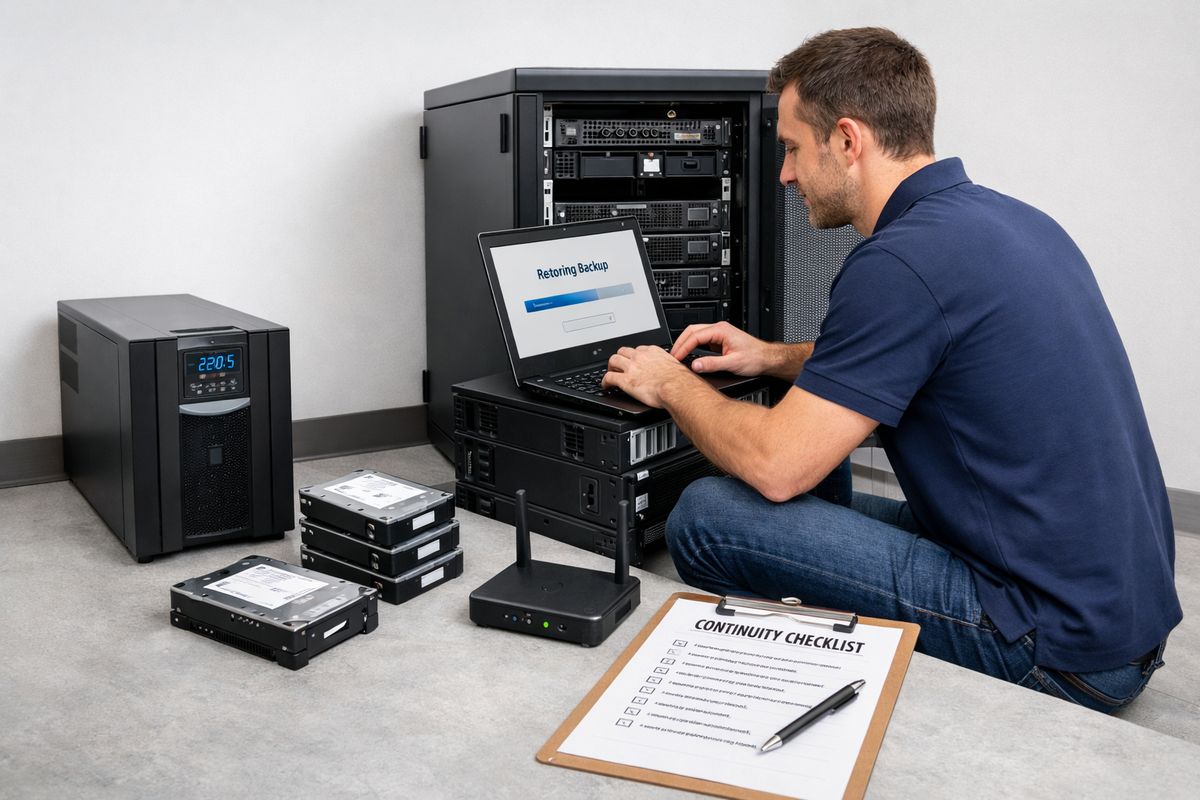
Backup, disaster recovery, and business continuity planning
Backups are often discussed as if the job ends when data copies complete. It does not. Real recovery means restoring systems, access, workflows, and communication under pressure.
Support should define backup frequency, offsite retention, restore testing, recovery time targets, and continuity steps for internet outages, hardware failure, ransomware, and severe weather. In south Louisiana, weather-related continuity planning is not optional.
The action is to verify the last successful restore test, not just the last successful backup.
The difference between backup and real recovery
A backup file by itself proves very little. If applications, permissions, cloud data, shared folders, or server images cannot be restored quickly, the business still has an outage problem.
Recovery is measured by how fast operations return. That is the standard that matters.
Business continuity for real-world operations
Continuity planning should follow the revenue and care-delivery path. Phones, email, remote access, scheduling, imaging access, vendor systems, and field operations all need a priority order.
The best plans restore the most important workflows first, not every system at once. That approach keeps business moving while the full environment comes back online.
Cost, contracts, and pricing transparency
Cost pressure is already high for small firms, which makes pricing clarity non-negotiable. The wrong support agreement creates the same frustration seen in other vendor markets: a low entry number followed by added fees, scope confusion, and after-hours surprises.
Small business IT support pricing should separate recurring services from projects, licenses, hardware, and after-hours work. Leadership should know what is included, what is excluded, and what triggers extra charges before signing anything.
The action is to request a line-by-line breakdown of recurring and non-recurring IT costs.
What predictable IT pricing looks like
Predictable pricing usually means flat-rate managed support priced per user, per device, or through a blended model. The contract should define scope clearly, including support hours, remote and onsite coverage, security tools, backup services, and reporting.
The move that works is choosing clarity over the lowest headline price. Cheap ambiguity gets expensive fast.
Hidden costs to watch for
Common hidden costs include onboarding fees, onsite visit charges, backup storage growth, after-hours rates, vendor coordination time, compliance tools, and project labor outside the agreement.
Support agreements should prevent billing surprises, not create them. If pricing language is vague, the problem is already visible.
How to choose the right IT support provider
Choosing a provider is not about picking the most polished sales presentation. It is about operating discipline. That means industry experience, local presence, security maturity, staffing depth, documentation quality, reporting, and planning capability.
In Lafayette and the surrounding region, local context matters. Fast onsite support, vendor familiarity, and awareness of regional connectivity and weather realities all improve outcomes. Price matters, but it belongs later in the evaluation.
The action is to shortlist providers based on response standards, security stack, and industry fit before discussing price.
Questions that reveal fit fast
The best questions expose process. Ask how critical issues are escalated, what response targets are guaranteed, which security tools are standard, how often backups are tested, what reports leadership receives, how account management works, and how regulated environments are supported.
Sales polish can answer broad questions. Operating discipline shows up in specifics.
Why industry experience changes the outcome
Workflow familiarity shortens resolution time and reduces disruption. That is especially true in healthcare, imaging, senior care, and oil and gas, where specialized software, vendor dependencies, and uptime demands shape every support decision.
A provider that already understands the environment spends less time guessing and more time solving.
Cloud, microsoft 365, and software support expectations
Cloud adoption did not remove the need for IT support. It shifted the work. Identity, access, licensing, security settings, data governance, integrations, and user training all need ownership, especially when Microsoft 365 and other SaaS platforms become central to daily operations.
The software market is expanding quickly, and the result is obvious: more subscriptions, more admin consoles, more renewals, and more opportunities for misconfiguration. Cloud support is still support, just with fewer server-room visits.
The action is to review who owns Microsoft 365 administration, backups, and security settings today.
Cloud support is still IT support
Microsoft 365, Teams, SharePoint, Exchange, cloud backups, SaaS tools, and remote work platforms all need administration. Cloud-based services are now standard across small business environments, which means support has to manage permissions, devices, retention, email security, and vendor changes continuously.
Cloud reduces hardware burden, but it increases the need for policy, identity, and vendor management.
Software selection and tool sprawl
New software should earn its place. Support should help evaluate task fit, workflow impact, security, and cost before another app is added to the stack.
Every new app needs an owner, a purpose, and a security review. Without that discipline, tool sprawl turns into cost sprawl and support confusion.
AI, automation, and the next expectation from IT support
The Federal Reserve’s 2026 employer-firm survey found that 46% of firms already use AI and another 15% planned to start within 12 months. That means IT support now has a new job: helping organizations roll out approved tools securely, with the right access controls, data handling rules, and workflow fit.
AI belongs inside business goals, not as a trend chase. The move that works is to apply automation where tasks are repetitive, low-risk, and easy to measure.
The action is to choose one repetitive administrative task and evaluate whether approved automation can save time without exposing sensitive data.
Where AI support adds real value
The strongest early use cases are documentation drafts, internal search, meeting summaries, scheduling support, and reporting assistance. These are repeatable tasks with clear time costs.
According to the Fed survey, 71% of AI users reported increased productivity. Here is how to use it: start where time savings are obvious and accuracy can be checked quickly.
Governance before adoption scales
The same research found that accuracy and adaptation to business needs were the biggest challenges. That should shape expectations immediately. Support should define approved tools, data privacy rules, user permissions, and accuracy checks before AI use spreads.
Approved use beats uncontrolled experimentation. Every time.
Warning signs that current IT support is falling short
Weak support leaves fingerprints. Recurring outages, slow tickets, poor communication, vague invoices, missing documentation, weak security controls, and no strategic guidance are not random annoyances. They are service failures.
This section is the benchmark. If the same problems keep showing up, the issue is not bad luck or difficult users. The issue is process, accountability, or both.
The action is to flag the single biggest service failure that has repeated in the last 90 days.
Operational red flags
Repeat problems signal weak root-cause work. Outdated systems, poor onboarding and offboarding, recurring printer and Wi-Fi issues, unmanaged renewals, and no roadmap all point to support that is operating reactively.
Good support reduces repeat incidents over time. If that trend is missing, the service is underperforming.
Security and leadership red flags
Missing MFA, untested backups, vague answers about security tools, no quarterly reviews, and no executive-level reporting all indicate elevated risk. Leadership should not need a technical background to understand current exposure.
If visibility is low, risk is already too high.
What a strong IT support partnership looks like in the first 90 days
A strong engagement starts with assessment and documentation, then moves quickly into risk triage, support onboarding, and immediate fixes for the biggest pain points. After that comes standards rollout, vendor alignment, and a practical roadmap tied to business operations.
The right provider delivers immediate stability and long-term direction at the same time. That is the standard worth expecting, especially for organizations where downtime affects patient care, scheduling, revenue, field operations, or compliance posture.
The specific move to take this week is to schedule an IT review that assesses response times, security controls, backups, and vendor accountability in one meeting.